aceUIDuration
The aceUIDuration widget lets the user enter a duration as a number combined with a unit (for example "5 Minutes" or "7 Days"). The value is stored as an ISO 8601 duration string.
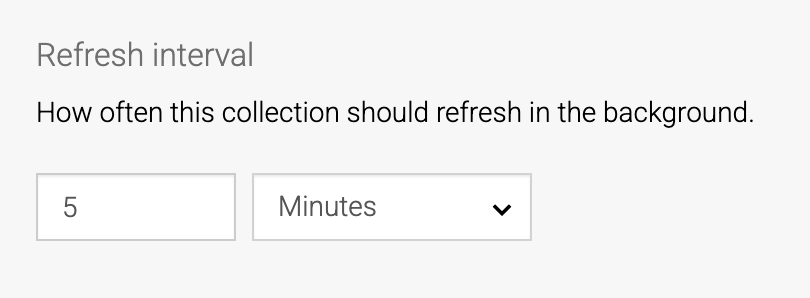
Configuration
| Attribute | Description | Default |
|---|---|---|
"units" |
ArrayOrdered list of unit codes to expose in the unit dropdown. Supported codes: min, h, d, w, mo, y. If not configured, all units are shown. |
all units |
"defaultUnit" |
stringThe unit selected for a new, empty value. Must be one of the configured units, otherwise the first configured unit is used. |
first configured unit |
"minValue" |
numberThe minimum number allowed in the amount input. |
0 |
"maxValue" |
numberThe maximum number allowed in the amount input. |
none |
"step" |
numberA stepping interval for the amount input. |
1 |
"minDuration" |
stringThe minimum allowed duration as an ISO 8601 duration. Validated against the resolved duration regardless of unit, so a value of one day passes a PT5M minimum but one minute does not. |
none |
"maxDuration" |
stringThe maximum allowed duration as an ISO 8601 duration. Validated the same way as minDuration. |
none |
"editable" |
booleanWhen false, the widget renders the duration as read-only text instead of the editable amount and unit inputs. |
true |
The minValue, maxValue and step attributes constrain the amount number only. The minDuration and maxDuration attributes constrain the total duration across the chosen unit, and are reported during validation when violated.
Localization
This widget has localization support.
The unit labels and validation messages are localized.
Expected domain objects
This widget expects a single domain object of type string, holding an ISO 8601 duration (for example PT5M, PT2H, P7D).
Example template json
{
  "label": "Refresh interval",
  "name": "refreshInterval",
  "widget": "aceUIDuration",

  "config": {
    "units": ["min", "h", "d"],
    "defaultUnit": "min",
    "minValue": 1,
    "minDuration": "PT5M"
  },

  "domainObject": "externalCollection/refreshInterval"
}